Start with the devices, not the outlet count
Before shopping, list what you plan to plug in and where those items will sit. A desk with a monitor, lamp and laptop charger has different needs from a bedside table with a clock and phone charger. Count the plugs you use every day, then allow a little room for an occasional device. More outlets are not automatically better: a compact strip that fits neatly and remains easy to reach may be more useful than a long one hidden behind furniture.
Look at the electrical rating printed on the strip and make sure it suits the intended use and the wall supply in your location. Also check the power requirements of the devices you plan to connect. A strip adds places to plug in; it does not increase the capacity of the wall outlet or circuit. If you are unsure whether a group of devices is appropriate for one outlet, use fewer devices and seek qualified guidance rather than guessing.
Choose a layout that works in the space
Outlet spacing matters when plugs have bulky adapters. Check whether the strip has room for the chargers you actually own without covering neighboring sockets. Outlets arranged in two rows or set farther apart can help, but consider the strip’s overall width as well. A wall-mounted or flat-plug design might suit a narrow gap behind a desk; neither should require furniture to press against the cord or plug.
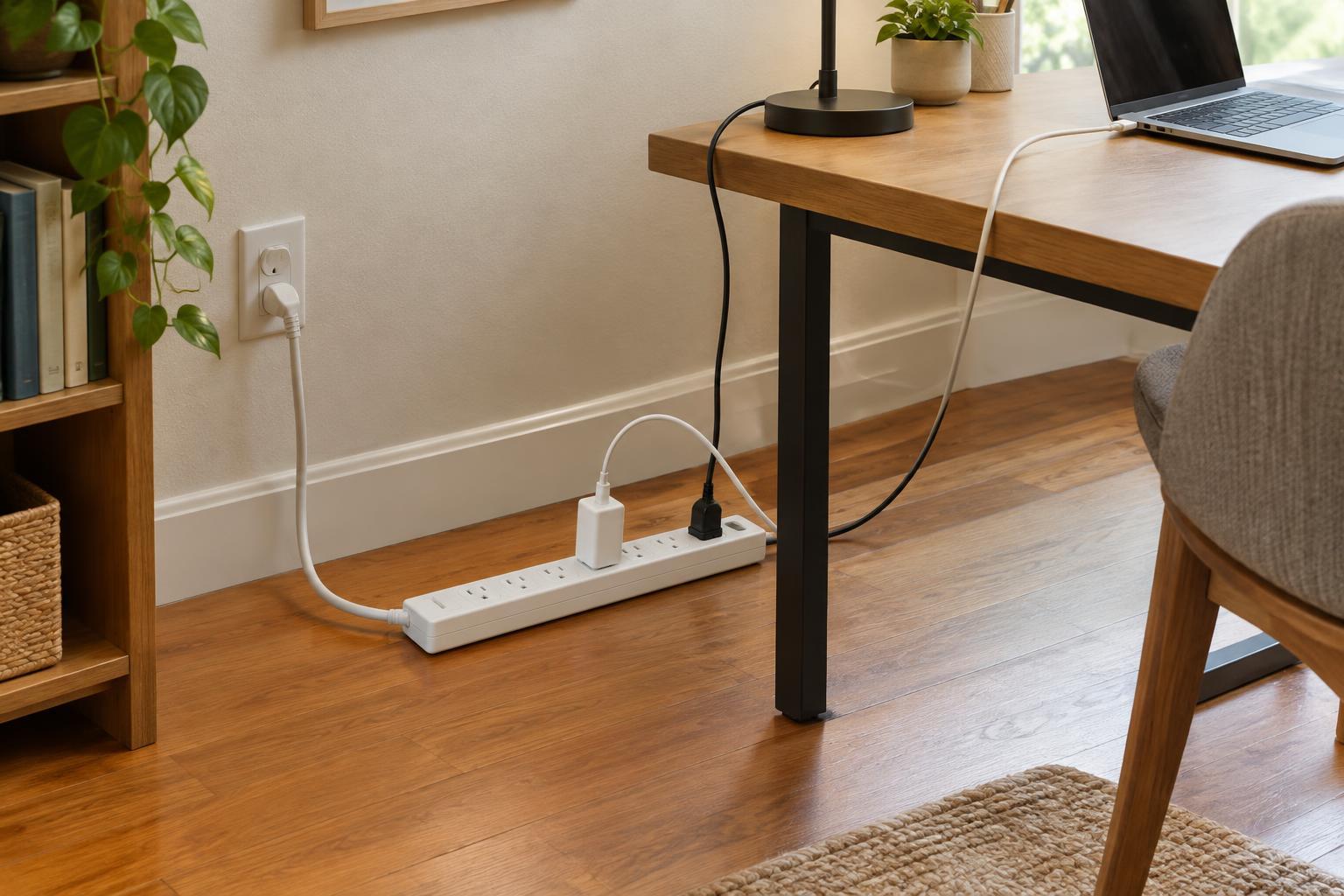
Choose a cord long enough to reach the wall outlet without tension, but not so long that excess cable becomes a tangle or trip hazard. Plan a route where the cord stays visible enough to inspect and is protected from chair wheels, sharp edges and foot traffic. Do not run it under a rug or carpet. If the outlet is too far away for a safe, tidy route, reconsider the furniture arrangement or the location of the devices rather than joining strips or cords together.
Decide whether surge protection is useful
A basic power strip provides additional outlets. A surge protector also includes components intended to limit some voltage spikes. For a setup with electronics you would prefer to protect, such as a computer or television, a surge protector may be worth considering. It cannot prevent every kind of electrical damage, however, and it is not a substitute for safe wiring or appropriate equipment.
If you choose surge protection, read the product information rather than relying on a prominent number alone. Check for a clear electrical rating, a stated protection feature and instructions explaining any status lights. Some models have an indicator that shows whether surge protection is still active; know what that indicator means before you need to interpret it. If protection has failed, follow the manufacturer’s directions for replacement.
Look for trustworthy details and useful controls
Choose a product intended for indoor use in your region, with a clear manufacturer name, specifications and an appropriate safety certification from a recognized testing organization. Check the plug type and whether the strip has grounded outlets if your devices require them. Do not remove a grounding pin or use an adapter to make an incompatible plug fit. A sturdy housing, secure-feeling sockets and a cord that enters the housing firmly are more meaningful than decorative finishes.
An on-off switch can make a group of low-power devices easier to turn off, provided the strip remains accessible. Built-in USB ports may reduce the number of charging adapters, but check that their output suits your devices; they do not replace the need to respect the strip’s overall rating. Decide which features you will actually use. A simpler strip with well-spaced outlets may serve you better than one crowded with ports and switches.
Give the strip a safe place to live
Plug a power strip directly into a suitable wall outlet and keep it in a dry, ventilated indoor spot. Avoid daisy-chaining it with another strip or an extension cord. High-draw appliances, such as space heaters, are generally best plugged directly into an appropriate wall outlet, following their instructions. A strip is also a poor solution for a kitchen counter or other area where water, heat or frequent spills may reach it.
Once it is in use, keep the strip accessible enough to switch off, unplug or inspect. Plugs should sit fully in their sockets, and cords should not be pinched behind furniture. If the housing or cord is damaged, a plug feels loose, or the strip becomes unusually warm, stop using it and replace it. The best everyday choice is one that meets your electrical needs, fits the room and makes safe use easy to maintain.